Securing Your Ubuntu System: Best Practices
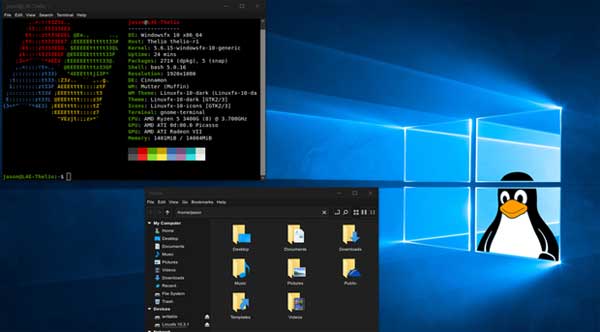
Security is a critical concern for all computer users, and Ubuntu users are no exception. While it is generally considered to be more secure than other popular operating systems, Ubuntu is still vulnerable to threats and attacks. In this article, we will explore how to secure your Ubuntu system, outlining the best practices for system hardening, firewall configurations, and security optimization. We will also discuss how to maintain and monitor your secured Ubuntu system.
The Importance of Ubuntu System Security
Ubuntu is a popular choice among developers and IT professionals due to its reliability and robust security features. Despite this, no operating system is completely safe from cyber threats. Attackers can exploit software vulnerabilities, use malware, or employ social engineering tactics against Ubuntu users. Therefore, having a strong security strategy in place is paramount. Not only does it protect your system and personal data from unauthorized access, but it also aids in maintaining system integrity and reliability. Furthermore, securing your Ubuntu system can help prevent it from being used in botnet attacks, which are often used to launch distributed denial of service (DDoS) attacks on other systems.
Securing Ubuntu: The Basics and Beyond
Securing your Ubuntu system starts with some basic steps. First, ensure that you are using a strong, unique password for your account. Second, keep your system and software up-to-date by regularly applying the latest security patches. Ubuntu’s Update Manager makes it easy to stay current. Beyond the basics, consider disabling unused network services and ports, and encrypting your data. Implementing a least privilege model, where users are given only the access they need, can also significantly enhance your system security.

Best Practices for Ubuntu System Hardening
System hardening is a critical step in securing your Ubuntu system. It involves minimizing the system’s attack surface and fortifying it against potential threats. Here are some best practices:
- Minimize software to reduce vulnerability points: Uninstall all unnecessary packages and services.
- Configure system parameters: Adjust settings in the
/etc/sysctl.conffile to boost security. - Regularly check for and patch vulnerabilities: Use tools like OpenVAS or Nessus for vulnerability scanning.
- Use strong password policies: Enforce password complexity and change requirements.
- Implement access control: Set up proper permissions for all files and directories.
Enhancing Your Ubuntu Security with Firewall Configurations
Firewalls act as a barrier between your Ubuntu system and the outside world. They monitor and control incoming and outgoing network traffic based on predetermined security rules. Ubuntu comes with a powerful and flexible firewall called UFW (Uncomplicated Firewall). With it, you can allow or deny traffic based on IP addresses, ports, or protocols. Configuring your firewall appropriately will significantly enhance your system’s security.
Advanced Tips for Ubuntu Security Optimization
For further Ubuntu security optimization, consider using security extensions such as AppArmor or SELinux. These provide mandatory access controls to confine applications to certain operations. Additionally, harden your SSH server configuration by disabling root logins, using key-based authentication, and setting up a firewall rule to only allow SSH access from trusted IP addresses. Implementing intrusion detection systems like Snort or OSSEC can also help identify security breaches.
Maintaining and Monitoring Your Secure Ubuntu System
Once you’ve secured your Ubuntu system, it’s important to maintain and monitor it regularly. Regular updates and patches are crucial for keeping your system secure. Monitor system logs and install a log monitoring tool to be alerted to unusual activity. Regularly backup your system and user data, and test your restore process to ensure you can recover in the event of a disaster. Lastly, stay informed about new vulnerabilities and threats, and adjust your security settings as necessary.
In conclusion, while Ubuntu is known for its robust security features, it remains vulnerable to a variety of threats. Therefore, knowing how to secure your Ubuntu system is crucial. Starting from the basics like strong passwords and regular updates, to more advanced steps like system hardening and firewall configurations, there are numerous ways to enhance your Ubuntu system’s security. Regular maintenance and monitoring will ensure that your system continues to stay secure. So, take these steps today, and give yourself the peace of mind that comes with a secure Ubuntu system.