When a UNIX/Linux Project Needs a Dedicated Server Instead of a VPS

Choosing the right hosting infrastructure is one of the most consequential technical decisions a system architect, DevOps engineer, or technical founder will make in the lifecycle of a UNIX or Linux-based project. The decision rarely presents itself as urgent in the early stages — a virtual private server (VPS) seems perfectly adequate when the application is young, traffic is modest, and the workload fits comfortably within shared physical hardware. Yet as projects mature, the limitations of virtualization become not merely inconvenient but architecturally restrictive. At a certain inflection point, continuing to operate on a VPS introduces hidden costs, performance ceilings, and operational risks that outweigh the simplicity and lower upfront price. Understanding when that inflection point arrives — and recognizing the technical signals that announce it — separates teams that scale gracefully from those that scramble to migrate under pressure.
This article examines the precise conditions under which a UNIX/Linux project genuinely benefits from migrating to bare-metal hardware, and where the boundary between “VPS is fine” and “VPS is now a bottleneck” actually lies. For teams that have already concluded a migration is necessary, providers offering Linux dedicated server rental can supply the predictable, isolated, and customizable infrastructure that virtualized environments structurally cannot match. But the decision should be driven by measurable criteria rather than intuition or premature optimization, and the rest of this article walks through those criteria in depth.
The Architectural Difference That Changes Everything
A VPS is a slice of a physical machine. The hypervisor — typically KVM, Xen, VMware, or in some cases container-based isolation through OpenVZ or LXC — partitions CPU cycles, memory, disk I/O, and network bandwidth among multiple tenants. For most workloads this abstraction is transparent and efficient. The Linux kernel running inside the guest behaves identically to one running on bare metal, system calls execute normally, and applications remain unaware they are virtualized. However, the abstraction is not free. Every disk write traverses an additional virtualization layer. Every network packet passes through a virtual switch. Every CPU-intensive computation competes with neighboring tenants for cache lines, memory bandwidth, and physical cores. These costs are usually small. Sometimes they are catastrophic.
A dedicated server, by contrast, is a complete physical machine with no hypervisor between your kernel and the hardware. You receive the entire CPU, all of the RAM, all of the disk channels, and the full network interface. There is no neighbor to compete with. The kernel can directly manage hardware features that virtualization either obscures or disables entirely: CPU performance counters, hardware-accelerated cryptography instructions, NUMA topology awareness, IOMMU passthrough, and direct access to specialized peripherals such as GPUs, FPGAs, or hardware security modules.
Signal One: Sustained Resource Saturation
The clearest indicator that a project has outgrown VPS infrastructure is sustained, predictable saturation of the resources allocated to it. Note the word “sustained.” A VPS that occasionally spikes to 90% CPU utilization during a nightly batch job is fine. A VPS that runs at 70-80% baseline CPU utilization throughout the business day, with frequent excursions into throttling or steal time, is sending a clear architectural signal.
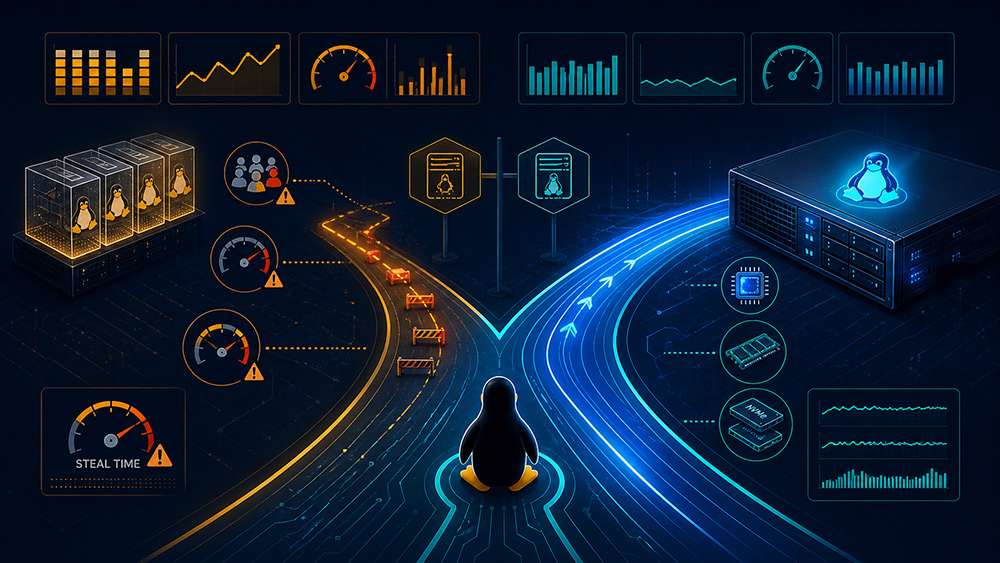
On a Linux VPS, the steal column in top, vmstat, or mpstat output is the single most diagnostic metric. Steal time represents the percentage of CPU cycles that the hypervisor took away from your guest to give to other tenants. When steal time consistently exceeds 5%, the VPS is sharing a busy host, and your application’s performance has become a function of your neighbors’ behavior — something you cannot control, monitor, or remediate. On a dedicated server, steal time is by definition zero. The CPU you paid for is the CPU you receive, every cycle of every second.
Signal Two: I/O Latency Sensitivity
Disk I/O is where virtualization shows its weakest performance, and where many UNIX/Linux projects discover the limits of their VPS. Database workloads — PostgreSQL, MySQL/MariaDB, MongoDB, Redis with persistence, ClickHouse, Elasticsearch — are exquisitely sensitive to write latency, fsync behavior, and the consistency of I/O performance under load. A VPS typically presents a virtual block device backed by a shared storage pool, which may itself be network-attached. The path from a write() system call to a stable on-disk acknowledgment passes through the guest kernel, the hypervisor’s storage stack, possibly a network protocol like iSCSI or NVMe-oF, and finally the physical drives.
The table below summarizes the typical performance characteristics of representative storage configurations across hosting types:
| Configuration | Typical 4K Random Write IOPS | fsync Latency (p99) | Performance Predictability |
|---|---|---|---|
| Entry-level VPS (shared SSD) | 2,000 – 8,000 | 3 – 25 ms | Highly variable |
| High-performance VPS (NVMe-backed) | 15,000 – 50,000 | 0.8 – 5 ms | Variable under noisy neighbors |
| Dedicated server with SATA SSD RAID | 40,000 – 80,000 | 0.4 – 2 ms | Highly predictable |
| Dedicated server with NVMe RAID | 200,000 – 1,000,000+ | 0.1 – 0.5 ms | Extremely predictable |
For a write-heavy database, the difference between a fsync latency of 5 ms and 0.3 ms is the difference between 200 transactions per second per connection and 3,000+. No amount of application-level optimization recovers an order of magnitude lost to the storage layer.
Signal Three: Specialized Kernel Requirements
Many serious UNIX/Linux workloads need capabilities that VPS environments either restrict or forbid outright. The list of features that frequently require dedicated hardware includes:
- Custom kernel modules — drivers for specialized network cards, storage controllers, or accelerators often cannot be loaded inside a guest.
- Kernel parameter tuning beyond what the hypervisor allows, such as low-level memory management, transparent huge pages configuration, or NUMA balancing policies.
- Real-time kernel extensions (PREEMPT_RT) for latency-critical applications, which behave unpredictably under virtualization.
- eBPF programs requiring elevated privileges or unrestricted access to kernel tracepoints, frequently disabled in shared VPS environments for security reasons.
- Containerization with custom security modules — running your own Kubernetes cluster with AppArmor, SELinux, or seccomp profiles benefits enormously from full kernel control.
- Hardware passthrough for GPUs (CUDA, ROCm), FPGAs, or specialized cryptographic accelerators.
- Direct access to CPU features like Intel SGX enclaves, AMD SEV, or hardware random number generators.
If your roadmap includes any of these requirements, dedicated hardware is not a luxury but a precondition.
Signal Four: Network Performance and Topology Control
Network behavior on a VPS is mediated by the hypervisor’s virtual switch. For most web applications this is invisible. For applications that move large volumes of data, require deterministic latency, or implement custom networking — VPN concentrators, edge proxies, real-time game servers, voice infrastructure, financial market data feeds — the virtual network becomes a constraint. Bandwidth caps, packet-per-second limits, MTU restrictions, and the inability to configure features like SR-IOV, DPDK, or kernel bypass networking all impose ceilings that bare-metal hardware does not.
A dedicated server typically offers a 1 Gbps or 10 Gbps port (and increasingly 25 or 100 Gbps options) with full line-rate capability, configurable VLANs, optional secondary interfaces for storage or replication, and the ability to run any networking stack you can compile.
Signal Five: Compliance, Data Residency, and Tenancy Requirements
Regulated industries often impose constraints that are difficult or impossible to satisfy in a multi-tenant environment. Healthcare data under HIPAA, payment data under PCI DSS, personal data under GDPR, financial records under various national regulations, and government workloads under frameworks like ITAR or FedRAMP often require demonstrable physical isolation, controlled access logs, specific encryption-at-rest implementations, and clear chains of custody. While compliant VPS offerings exist, the audit trail and operational simplicity of a single-tenant physical machine are often substantially easier to defend during an audit.
A Decision Framework
The table below offers a compact framework for evaluating whether a project has reached the migration threshold:
| Criterion | VPS Is Sufficient | Dedicated Server Is Warranted |
|---|---|---|
| CPU steal time | Below 2% sustained | Above 5% sustained or unpredictable spikes |
| Memory footprint | Under 32 GB | Above 64 GB, especially for in-memory databases |
| Disk I/O profile | Read-mostly, batch-tolerant | Sustained random writes, latency-sensitive transactions |
| Network throughput | Below 500 Mbps sustained | Multi-gigabit sustained or low-latency requirements |
| Kernel customization | Stock distribution kernel adequate | Custom modules, real-time, or eBPF-heavy |
| Compliance scope | Standard SaaS or low-regulation | HIPAA, PCI DSS Level 1, GDPR with strict residency |
| Performance predictability | Variability tolerable | Strict SLAs requiring deterministic behavior |
| Monthly infrastructure cost | Below $200 on VPS | VPS cost approaching or exceeding dedicated equivalent |
Cost Reframed
The intuition that VPS is always cheaper than dedicated hardware breaks down at scale. A high-tier VPS with 16 vCPUs, 64 GB RAM, and fast NVMe storage often costs $250–$500 per month from a major cloud provider, and you still share the underlying hardware. A dedicated server with a modern Xeon or EPYC processor offering 32+ physical cores, 128 GB ECC RAM, and 4 TB of NVMe storage in RAID frequently rents for $200–$400 per month. The dedicated machine offers two to four times the actual computing capacity, predictable performance, no steal time, and no resource contention. The economic crossover point typically arrives when a project is paying $150 or more per month for a VPS — at which point dedicated hardware delivers more capability for the same or less cost.
When VPS Remains the Right Choice
To be clear, the case for dedicated servers is not universal. VPS infrastructure is genuinely superior for projects in early development, for workloads with highly variable traffic patterns where elasticity matters more than peak performance, for stateless application tiers that scale horizontally across many small instances, for development and staging environments, and for geographically distributed deployments where many small footprints in many cities matters more than concentrated power in one. The right architectural answer is often a hybrid: dedicated servers for the stateful core (databases, caches, message brokers, file storage) with VPS or cloud instances for the elastic application tier in front.
Making the Migration Decision
The migration from VPS to dedicated infrastructure is rarely an emergency but should not be deferred indefinitely once the signals above accumulate. The most successful migrations begin with a measurement period of two to four weeks during which the team collects baseline metrics on the existing VPS — steal time, I/O latency distributions, p99 response times, and resource saturation patterns. Those metrics then inform the specification of the dedicated machine: CPU generation and core count, RAM capacity, storage configuration, and network interface requirements. A staged migration that runs the new dedicated server in parallel as a replica before cutting over allows the team to validate performance gains and operational behavior without risk to production traffic.
The fundamental truth is that virtualization is an excellent abstraction until it isn’t. UNIX and Linux were designed to run close to hardware, and projects that grow into serious workloads eventually benefit from getting closer to that hardware again. Recognizing the signals early — saturated resources, variable I/O, kernel limitations, network ceilings, compliance demands — and acting on them before they become production incidents is the mark of mature infrastructure engineering.