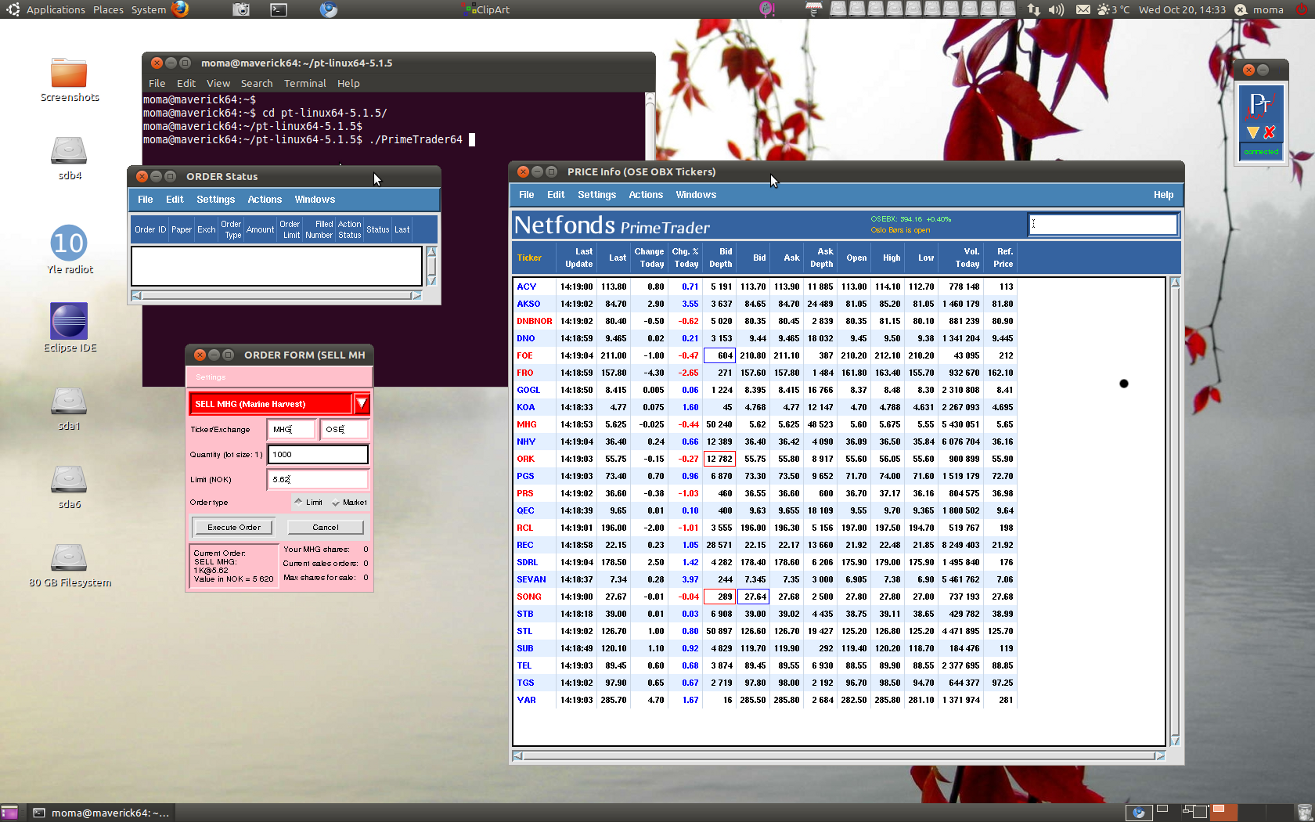
Netfonds’ PrimeTrader trading software for Linux
PrimeTrader is a real-time stock trading software from Netfonds.no.
Study: http://www.netfonds.no
Installing Netfonds’ PrimeTrader in Ubuntu 9.04/9.10.
0) Install first libmotif3 package.
PrimeTrader requires the libmotif3 package. So run
| sudo apt-get install libmotif3 |
| sudo ldconfig |
Notice that PrimeTrader does not work with the open source Motif replacement, lesstif2.
Remove lesstif2 and install the libmotif3 package as shown here.
1) Download and install PrimeTrader
| Download PrimeTrader from http://www.netfonds.no and unpack/save the files to a suitable directory. I put the files to my home folder. You can also put it in /usr/local/ or /opt directory if you like.
Download pt-linux-current.tgz if you run 32bit Ubuntu. |
2) Start PrimeTrader
| cd pt-linux* |
And run
| ./PrimeTrader |
or
| ./PrimeTrader64 |
Put also a shortcut icon on the desktop or toolbar.
Picture: